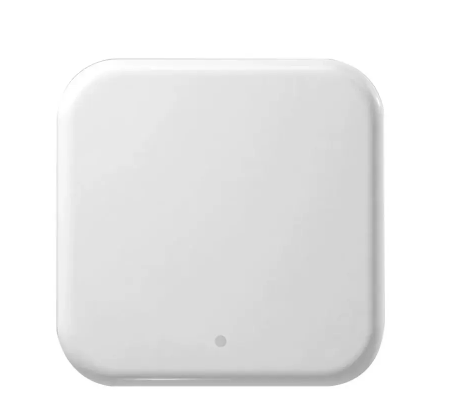
Wi‑Fi Gateway G2
A Wi‑Fi gateway that gives your TTLock lock full remote access from anywhere in the world.
Access methods
Product description
The Wi‑Fi gateway is a small bridge device that connects your SMART-LOCK electronic lock to your home Wi‑Fi and to the TTLock cloud. It adds full remote control over the lock from anywhere in the world — a single gateway covers all locks within a few metres (Bluetooth range). A simple, one-time purchase that dramatically expands the capabilities of any smart lock and lets you treat your apartment, office or short-stay unit as a fully connected space.
The gateway lets you read the event history from anywhere — without a gateway, the app only syncs data when a Bluetooth connection is established, i.e. when you are physically next to the door. With the gateway every event (entries, unlock attempts, tamper alerts, low battery) reaches the TTLock app almost in real time. You can remotely extend guest access or cut it short, remove a previously sent code (e.g. after a booking cancellation), and change the permissions of previously added proximity cards, fobs, fingerprints and e-keys.
The gateway also enables remote door unlocking with a single tap in the app — handy when you want to let in a courier, cleaning crew or family member while you're away. Setup takes just a few minutes: plug the gateway into USB or PoE (Power over Ethernet), connect it to a 2.4 GHz Wi‑Fi network and add it to your app account. A single device supports many locks at once, which makes it optimal for guesthouses, multi-room offices and single-family houses with several SMART-LOCK doors. See how the TTLock app works and browse our electronic locks and fingerprint handles that fully support the gateway.
Other products in this category
Feel safe and comfortable
Can't decide? Ask our expert! We'll help you pick the perfect solution for your needs.
Choose our door-locking solutions today. Increase comfort and safety with an advanced smart door lock that lets you control doors from almost anywhere in the world.